SIM-Swap Scams
Your phone suddenly has no service. By the time you notice, "you" have reset your email password, approved bank transfers, and drained the crypto wallet. Here's the attack — and the three defenses that stop it.
How the attack works
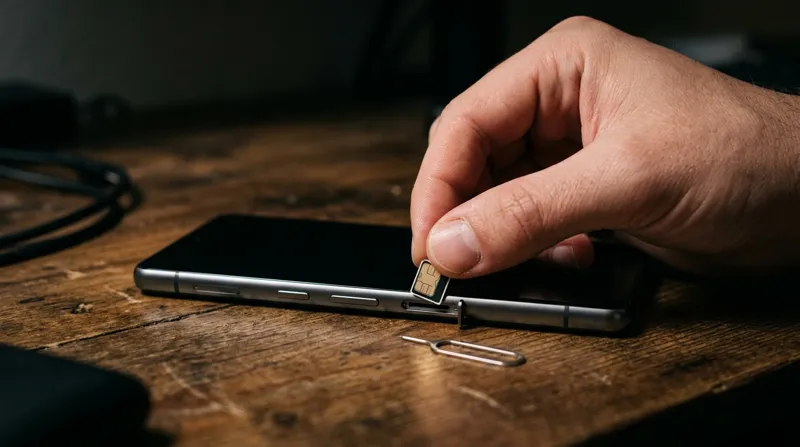
- Recon. The scammer collects your name, number, carrier, and personal details from breaches, social media, and phishing.
- The port. They call your carrier posing as you — "lost phone, need my number on a new SIM" — and talk (or bribe) their way past weak verification.
- The takeover. Your phone goes dark; theirs lights up with your number. Every SMS code now goes to them.
- The drain. Password resets cascade: email first (the master key), then banks, payment apps, and crypto. Minutes, not hours.
Warning signs
- Sudden, total loss of cell service (not just slow data) — especially with no outage reported
- Carrier texts about SIM changes or ports you didn't request
- Login alerts and password-reset emails you didn't trigger
- Being locked out of email "for security reasons" out of nowhere
Three defenses (do all three)
- Carrier port-out PIN. Call your carrier today and set a Number Transfer PIN / port-out passcode. This single step blocks most swaps.
- Kill SMS 2FA where it matters. Move email, bank, and crypto to authenticator apps or passkeys. SMS codes are the prize — stop handing them out.
- React to dead air. Phone suddenly SOS-only? Call your carrier from another phone immediately and freeze the line. Speed is everything.
Quick answers
What is SIM-swapping?
Thieves port your number to their SIM, intercept your SMS codes, and cascade through your accounts. Email first, money second.
How do I stop it?
Carrier port-out PIN, authenticator/passkey 2FA instead of SMS, and instant reaction to sudden dead service.