Tech Support Pop-Up Scams (Fake Microsoft and Apple Warnings)
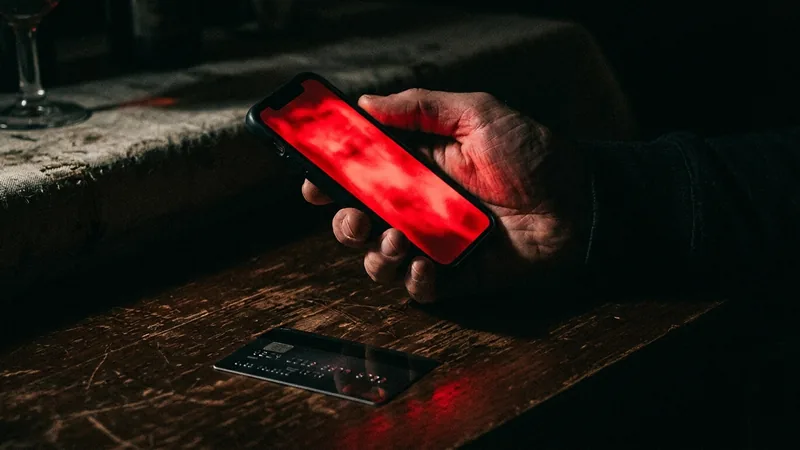
The screen locks, an alarm blares, a "Microsoft" or "Apple" warning says your computer is infected and gives a number to call. Nothing is wrong with the computer. The call is where the damage starts, and for older adults it can end with an entire retirement account moved to "safety". Here is the full play and how to stop it at each step.
How the scam works
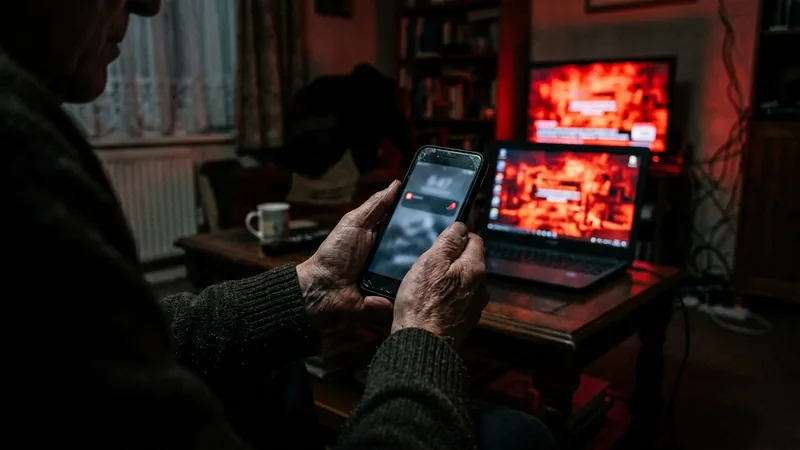
It begins with a web page you land on by accident: a mistyped address, a bad ad, a link in an email. The page goes full screen, plays a siren, and shows a warning styled after Windows Defender or macOS saying your computer is infected, with a toll-free number to call. The same pitch also arrives as a cold call from "Microsoft" or "Apple", or as a subscription-renewal email from a name like Geek Squad, McAfee or Norton with a number to dispute the charge.
Call the number and a calm "technician" asks you to install a remote-access program so they can look. The FTC describes what follows: a fake scan, "found" malware, and a fee to remove it, payable in gift cards, a wire, a bank transfer, crypto or a payment app because those are hard to reverse. That is the small version.
The large version is what the FBI calls the "Phantom Hacker" scam. With remote access in hand, the technician claims a foreign hacker is inside your accounts and asks you to open your online banking so they can check, which quietly shows them which account is worth the most. You are then handed to a "fraud department" at your bank and later to a "federal" official, who tells you to move the money to a safe account by wire, cash or crypto, and to tell no one why. The FTC is blunt: nobody from the government will ever say you must move your money to protect it, and there is no such thing as a federal safety locker.
The targeting is not random. When the FBI issued its warning in 2023, nearly half of tech support victims reported to IC3 in the first six months of that year were over 60, and they accounted for about two thirds of the losses. The FTC reported that tech support scams drove roughly $175 million in reported losses among consumers aged 60 and older in 2023. In 2025 the FBI counted more than 201,000 complaints from victims over 60 across all fraud types, with reported losses above $7.7 billion.
Red flags
What to do in the moment
| Step | Action |
|---|---|
| 1. Do not call, do not click | The pop-up cannot hurt you by itself. Its only power is the number on screen, even if it says your files are being deleted right now. |
| 2. Force the browser closed | Windows: Ctrl+Shift+Esc, select the browser, End task. Mac: Command+Option+Esc, select the browser, Force Quit. If the screen will not respond, hold the power button until the machine shuts down. |
| 3. Restart without restoring | When the browser reopens and offers to restore your last pages, say no; otherwise the trap page comes straight back. |
| 4. Check the real way | Update your existing security software and run a full scan. If you want help, use the support page of a company you already trust, typed by hand, or a local shop you can walk into. |
| 5. Hang up on cold calls | If "Microsoft" or "Apple" calls you, hang up. Both companies say they do not make unsolicited support calls. |
Real tech companies never call you first, and never put a phone number in a warning.
Write it on a sticky note by the computer of anyone you love who is over 60. Add one more line under it: nobody legitimate will ever tell you to move your savings to keep them safe. Any call that says so, whatever badge number they offer, ends with "I will call my bank myself" and a hang-up.
What to do if you already called, paid or gave access
They had remote access. Turn off Wi-Fi or unplug the network cable. Uninstall the remote-access program and anything else installed during the call, then run a full security scan; if in doubt, have a trusted shop wipe and reinstall the machine. From a different device, change your passwords, email first, then banking, and turn on two-factor authentication.
You paid. Gift cards: call the issuer's number on the back of the card straight away and ask them to freeze the funds; keep the card and receipt. Wire or bank transfer: call your bank's fraud line and ask for a recall. Payment app or card: dispute it with the provider and your bank. Crypto: report to the exchange and to the FBI. Speed matters more than anything else here.
You moved money to a "safe account". Call your bank now, say it was a scam and ask for a recall on every transfer. Then file at ic3.gov and ReportFraud.ftc.gov with every account number, name and phone number the scammers used. Tell a family member; the secrecy instruction only ever served the scammer.
Expect the refund call. Weeks later someone will phone offering to refund your loss and ask for remote access or bank details to "process" it. The FTC describes this variant: they overpay on purpose, then demand the difference back in gift cards. Same crew.
Defense first: five minutes for someone over 60
Turn on the browser's pop-up blocker and install an ad blocker; most of these pages arrive through malicious ads. Set the operating system and security software to update automatically so real warnings come from the system, not a web page. Save the real support numbers for their bank and computer maker in their phone. Rehearse the force-quit steps once so a frozen screen is boring rather than frightening. And agree on a rule: before installing anything or moving any money at a stranger's request, they call you first. Scammers rely on the victim being alone with the panic; one call to family breaks it.
Quick answers
Does Microsoft or Apple ever call you or show a phone number in a warning?
No. Microsoft says it never proactively reaches out with unsolicited support and that genuine Microsoft error messages never include a phone number. Apple lists phony support calls among the scams it warns about. The FTC adds that real security warnings never ask you to call a number. A pop-up with a phone number is a scam every time.
My screen is frozen with a loud warning. What do I do?
Do not call the number. Close the browser: on Windows press Ctrl+Shift+Esc, select the browser and choose End task; on a Mac press Command+Option+Esc, choose the browser and Force Quit. If you cannot, hold the power button until the machine turns off. Restart, and if the browser offers to restore pages, decline. Then update your security software and run a scan.
I gave them remote access and paid. What now?
Disconnect the computer from the internet, uninstall the remote-access program they had you install, and run a full security scan. From a different device, change your passwords, starting with email and banking. Call your bank and the gift card or payment company immediately. Report to ReportFraud.ftc.gov and ic3.gov. Expect follow-up calls offering a "refund": those are the same scammers.
Sources
- FTC: How to spot, avoid and report tech support scams
- FTC consumer alert: Seemingly urgent security messages could lead to tech support scams
- FBI IC3 public service announcement: "Phantom Hacker" scams target senior citizens
- FBI: Scammers target older adult victims, 2025 IC3 figures
- FTC press release: Telemarketing Sales Rule extended to tech support scams
- Microsoft: Avoid and report Microsoft technical support scams
- Apple: Recognize and avoid social engineering schemes including phony support calls